
The Administrative Challenge of Workplace Charging
How do you ensure that every kilowatt-hour dispensed by your workplace EV chargers is accurately tracked, billed, or reimbursed without creating an administrative nightmare?
The problem starts after the electrical installation is complete. The posts are energised, vehicles charge successfully, and the landlord receives an electricity invoice. Somewhere between those points, the facility team must connect energy consumption to a driver, tenant, tariff and payment route.
Paper logs can survive while usage is light. They become fragile as soon as several organisations share the same commercial infrastructure. On one mixed-tenant site, use from a shared 22 kW three-phase post was reconciled manually against the DNO invoice on a 28-day commercial billing cycle. Two tenants then disputed a single overnight draw. With no reliable user identity attached to the meter record, the paperwork could not settle the question.
Moving metering into a central charge-station management system, or CSMS, gave every recorded kilowatt-hour a user identity. That is the practical value of the back office: it creates an auditable chain from credential presentation to final cost. Commercial landlords can identify unauthorised use, facility managers can control operational costs, and accounts teams receive records they can actually reconcile.
Meter Before Billing
I treat user identification, meter capture and tariff assignment as one configuration task. Separating them leaves gaps that only appear when somebody challenges a charge.
How OCPP Pairing Connects Each Charge Point
The Open Charge Point Protocol (OCPP) is the common language used between charging hardware and its management platform. It carries status messages, authorisation requests, transaction events and meter values between the post and the CSMS.
Writing the Connection at the Charger
Pairing begins at the charge point. The installer opens the unit’s local configuration interface, enters the CSMS websocket URL and assigns the charge-point identity. After a reboot, the charger initiates the outbound connection to the back office.
- Confirm the charger has working network access and can resolve the CSMS endpoint.
- Write the websocket URL exactly as supplied by the platform operator.
- Create a unique identity, preferably using the serial number plus the bay number so two posts cannot share one CSMS record.
- Set the HeartbeatInterval required by the deployment. Values commonly used for these workplace systems run from 180 to 300 seconds.
- Reboot the post and watch the CSMS for its initial connection and heartbeat traffic.
When the URL Saves but Meter Traffic Never Arrives
OCPP 1.6J remains the dialect spoken by most commercial posts in this setting. Administrators still need to verify that the specific charge point model implements the security profile demanded by the CSMS before attempting network pairing. This check is model-specific.
A board without the required profile may accept the URL write and then drop the TLS handshake. The local screen can look correctly configured while the back office receives no heartbeat or meter traffic. That meter-value silence is the useful clue. Rechecking the URL repeatedly will not add a missing security capability; the charger firmware, controller board and CSMS security requirement must be compared directly.
Building Tariffs Around Fleet, Staff and Visitors
Tariff design should follow the reason each driver is charging. Fleet vehicles consume energy on company business, staff charging may be offered at cost, and visitors often need a rate that also recovers operating overhead.
Separate Credentials Before Setting Prices
Create fleet, staff and visitor groups in the platform first. Bind each RFID tag or app credential to one group, then assign the tariff at group level. A numbered MIFARE batch works well for fleet cards because the issue record can be matched to a vehicle or driver without editing every charging transaction.
A flat daily bay fee may look convenient because it resembles a parking permit. It performed poorly where visitor dwell ranged from a 40-minute meeting to a full working day: short stays carried too much cost, while long stays under-recovered energy. A pence-per-kWh structure aligned the charge with measured use.
- Fleet: Apply a free or at-cost pence-per-kWh tariff to the numbered fleet RFID batch.
- Staff: Assign the agreed workplace rate to staff tags or app accounts.
- Visitors: Use a premium per-kWh tariff and restrict access to the intended posts or hours where the platform permits it.
Check the inheritance rules before issuing credentials. A user placed in two groups can pick up an unintended tariff if the software resolves overlapping permissions by priority rather than by the most recently assigned group.
What the Back Office Records During a Billed Session
A successful session is a sequence of separate decisions. Reading that sequence correctly makes compliance checks and testing much faster because each missing event points to a different fault.
From RFID Tap to Closing Meter Reading
- The driver presents an RFID card or app credential, and the charge point sends an authentication request.
- The CSMS checks the credential, user group and access rules, then returns an authorisation response.
- Once accepted, StartTransaction opens the billing record and establishes the opening meter position.
- The charger sends meter values throughout the session. A MeterValueSampleInterval between 60 and 300 seconds provides the transaction history used here.
- StopTransaction supplies the closing meter reading when charging ends.
- The software calculates consumed energy and applies the tariff assigned to that user group.
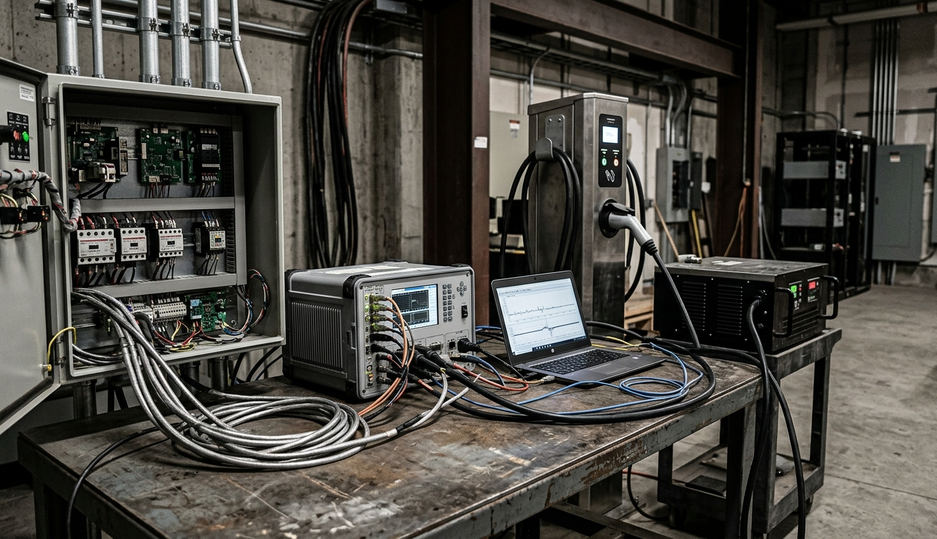
Authorize should remain the access gate, while StartTransaction acts as the billing clock. Meter values are accepted for costing only after the transaction has started. A rejected credential therefore produces an access event without opening a chargeable record.
When troubleshooting, compare the event order rather than looking only at the final cost. An accepted Authorize followed by no StartTransaction points towards the connector, vehicle handshake or transaction configuration. A completed StopTransaction with an unexpected price points towards group membership, tariff timing or the closing meter value.
Turning Usage Records into Reimbursement Files
Accounts teams usually need a stable file that fits the existing expense pack. A live dashboard is useful for facilities, yet it creates extra work when finance must copy figures into a month-end process.
Schedule One Export, Then Filter by Purpose
Configure a CSV for the first working day after month-end. Each row should identify the RFID credential, user or vehicle reference, consumed kilowatt-hours and applied tariff. Include a site total so facilities can compare aggregate charging demand with the wider electricity account.
Create a second filtered view for fleet reimbursement. It should draw from the same transaction records as the main export, which prevents finance and facilities from working with different versions of a session. Keep personal journeys or visitor transactions outside the fleet view through group filtering rather than manual deletion.
- Confirm that every active fleet tag has an accounting reference.
- Check that cancelled and denied sessions do not appear as energy expenses.
- Reconcile the export total with the CSMS site total before releasing the file.
- Retain workplace energy-cost records of this class for six years under standard UK expense-keeping practice.
For regional projects with several sites, keep the column order and credential naming convention consistent. That small decision makes consolidated reporting far easier than allowing each location to invent its own spreadsheet.
The Live Test That Must Precede Handover
A tariff screen that looks correct is weak evidence. Final sign-off needs a physical session at a live connector, using the same authentication path and meter traffic that drivers will use after launch.
Prove Both Denial and Billing
Keep a restricted-tier RFID card in the installer pack and never issue it to staff. Present that card first. The connector must refuse access, and the denial must appear in the CSMS event history without opening a visitor-tariff transaction.
Next, use an authorised visitor credential and start a real session. Let it run until at least 0.5 kWh has registered or 15 minutes of meter-value traffic has arrived, whichever comes first. Stop the session and inspect the complete record: identity, opening reading, closing reading, energy consumed and visitor tariff.
Handover Gate
Record the denied attempt and the billed session in the commissioning pack. These two results prove that access controls and cost calculations work at the connector, not merely in the administrator’s browser.
Never hand over a newly configured workplace EV charging network until the restricted card has been refused at the live connector and a correctly priced visitor session has appeared in the CSMS transaction list.